Meet Mosaic, your proactive desktop assistant.

Unlike a calendar or email app, Mosaic prepares your next step before you have to ask. It brings together your email, calendar, documents, and tasks, surfaces what deserves your attention, and never acts on its own suggestions until you approve them.


Works with the
tools you already use.
Connects to
More connectors on the way · About connectors
- Gmail
- Calendar
- Drive

- Outlook
- Calendar
- OneDrive




- Calendar

Document types
And more...- Word
- Excel
- PowerPoint
- Docs
- Sheets
- Slides
- Text
- JPEG
- PNG





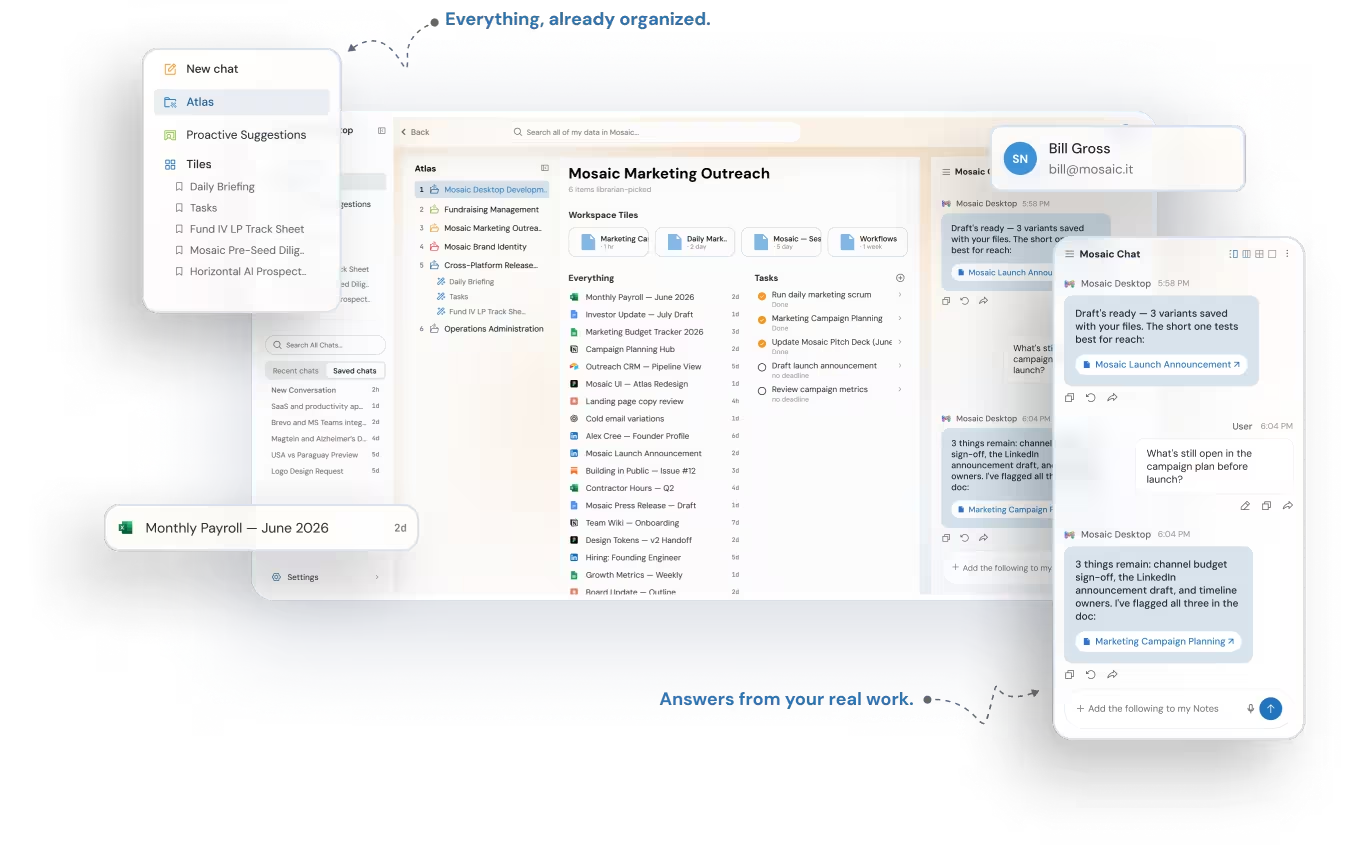
Your computer, finally
working for you.
Most days start with a search: which tab, which thread, which file needs you first. Mosaic flips that around. It gathers what's scattered across your apps and hands you the next step — ready the moment you sit down, and never acted on until you approve it.
Live in minutes.
Connect
Link the tools you already work in. You choose exactly what Mosaic can access.
Prioritize
Mosaic surfaces what deserves your attention and puts that next step in front of you.
Approve
Review each suggestion before it runs.
Want the detail behind the three steps? Read how Mosaic anticipates your next task and how a proactive assistant differs from a regular calendar or email app.
Your data stays yours.
You're connecting your real work, so here's how Mosaic keeps it safe, private, and in your control.
Local, not cloud storage
Your AI context and memory are stored on your device. Your content is never stored on Mosaic’s servers; we collect only anonymous usage diagnostics to improve the app.
You stay in control
Mosaic suggests, and acts on a suggestion only when you approve it. You can disconnect any tool at any time.
Only what you connect
Mosaic works with the apps you choose to connect, and with the files and folders on your computer that you choose to share.
No model training
Your context is yours. We do not sell it, and it is not used to train outside models.
Is Mosaic private? The short answer.
Yes — and here is precisely what that means. Mosaic is a desktop app: it brings your email, calendar, documents and tasks down to your own computer and works on them there. Writing an answer or a suggestion needs a cloud AI model, so Mosaic sends it only what that one task needs, usually a few relevant passages, never your whole mailbox or file library. Nothing from your content is kept on our servers, none of it trains a model, and none of it is sold.
| Criterion | Mosaic's answer |
|---|---|
| Where does your material live? | On your own computer. Material from a connected cloud account is brought down and worked on there, and nothing from your content is retained on Mosaic’s servers. |
| What reaches a cloud AI model? | Only what the task needs: usually a few relevant passages, or the specific email or file Mosaic is working on. Never your whole mailbox or file library. Our AI providers may hold it temporarily, as needed to provide their service. |
| Is your data used to train AI models? | No. Our AI providers do not train on any customer data passed to them, and we do not sell your content. |
| What can Mosaic access? | The apps you choose to connect — Google Workspace, Microsoft 365, or Apple Calendar — and the specific files and folders on your computer that you choose to share. You can disconnect any tool at any time. |
| Can it act without you? | Mosaic acts only on what you approve or ask for. Suggestions wait for your approval, and Mosaic sends an email only after you have reviewed it or asked it to. |
In one sentence: everything Mosaic learns about your work stays on your own computer, only what a task needs ever reaches a cloud AI model, and none of it is sold or used to train one.
Read the full answer: can an AI assistant manage your email, calendar, and files privately? →